· 2 min read
Demo: reconciling loans against their repayment schedules

Key takeaways
- In a Studio session, Eagl reads the loan schedules in Drive, compares them with the GL and lists every loan with its capital and interest split.
- It finds the bookings that do not match the schedule, explains why and proposes the journal entry to fix them.
- The session becomes a routine that runs on the first working day of the month and whenever a schedule changes.
Loan bookings drift from the bank’s schedule in quiet ways. Interest that is paid once a year never shows up as a bank payment, so nobody books the monthly accrual. An annuity keeps the same instalment, but every month more of it is capital, so an automated booking that reuses last month’s split is slightly wrong. The one-minute demo above shows how Eagl catches both.
What the demo shows
- One question in Studio. “Give me an overview of all loans and the repayment schedule, with the interest and capital split”, with the Loans folder in Drive attached. Eagl opens the schedules, loads the GL transactions and compares them.
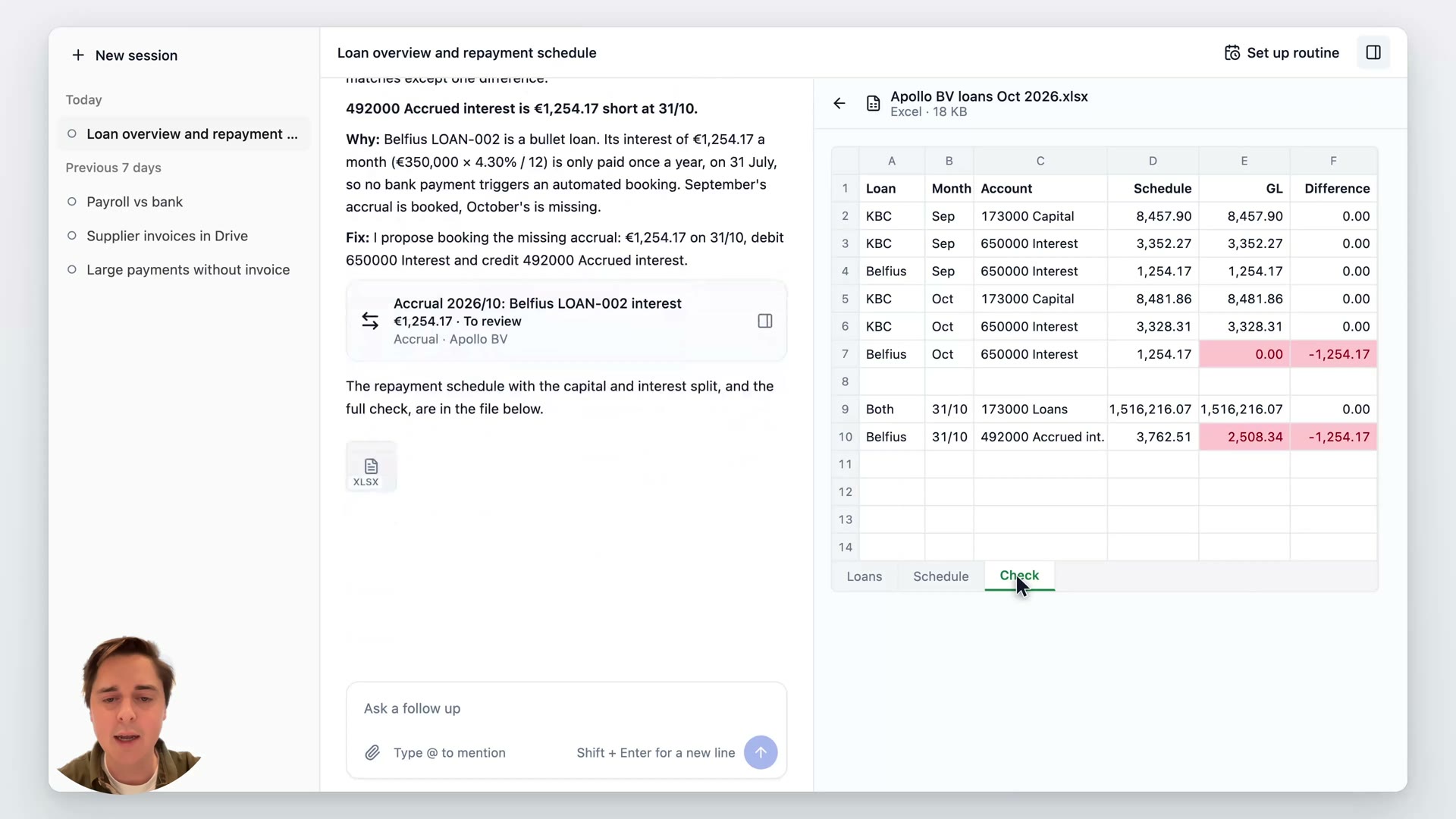
- An overview of the loans. Apollo BV has two: a KBC loan of €1,200,000 repaid as a monthly annuity, and a Belfius bullet loan of €350,000 with interest paid yearly. Eagl lists the rate, the end date and the outstanding balance at 31/10 for each.
- The one difference, explained. September and October match the GL except for one line: accrued interest on 492000 is €1,254.17 short at 31/10. The Belfius interest (€350,000 × 4.30% / 12) is only paid on 31 July, so no bank payment triggers a booking. September’s accrual was booked, October’s was not.
- The fix, ready to book. Eagl proposes the missing accrual (debit 650000 Interest, credit 492000 Accrued interest) and you book it to the ERP after review. The capital and interest split and the full check sit in an Excel file next to the session.
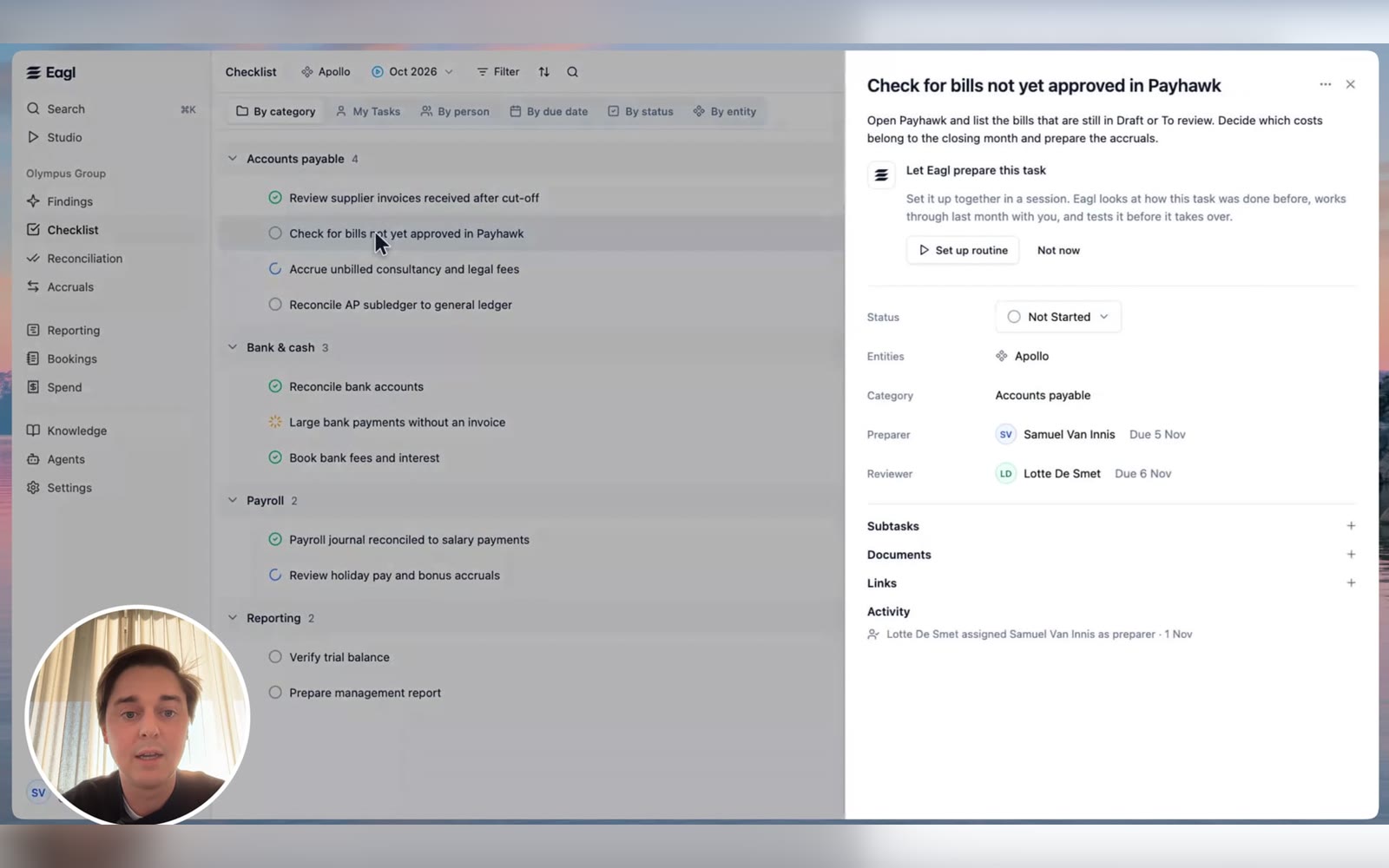
- A routine for every month. “Turn this conversation into a routine” gives a draft routine, “Validate loan bookings against schedules”. It runs on the first working day of the month at 08:00 and whenever a schedule in the Loans folder is added or changed. Its goal and steps are written out so you can edit them before you turn it on.
- The next run finds something new. In November the Belfius loan matches, but the KBC instalment is split wrongly: the automated booking reused October’s split, so interest is €24.03 too high and capital €24.03 too low. Eagl proposes the reclassification and attaches the workbook to the checklist task, ready to book once you have reviewed it.
Why loans belong in the close
A loan balance can look fine on the bank statement while the split between capital, interest and accrued interest is off. Those errors are small each month and easy to miss, but they add up in the balance sheet and the interest charge. Checking every loan against its schedule at each close keeps both right.
Read more about how Eagl handles accrual management and the month-end close process.
About Eagl
Eagl is an AI-native accounting platform that helps finance teams automate their month-end close.
Connected directly to your ERP, Eagl's accounting agents reconcile accounts, detect and correct posting errors, manage accruals, and execute recurring close tasks. From identifying discrepancies to preparing and posting journal entries, Eagl handles the accounting work while keeping your team in control.
Built for finance teams running on NetSuite, Microsoft Dynamics 365 Business Central, and Exact Online.